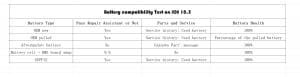
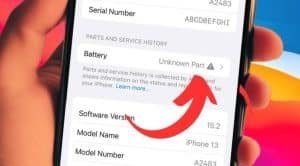
Before all battery you buy online or offline except going to an apple store are almost aftermarket battery produce by third-part factory, all will have the pop-up unknown part issue can’t show correct battery health after replacing unless for a BMS swap.
Last year,Apple had release a new Repair Assistant feature that helps complete the repair process after a part replacement. Then the market launched third-party batteries that claimed to solve the unknown parts problem. Our factory also launched our own brand GUPFIX diagnostic batteries that can run diagnostics a few months ago. Today we will test the diagnostic results of different batteries(oem new/oem pull/aftermarket battery/battery cell+BMS board swap/GUPFIX ) on on an iPhone 12 running ios 18.5.
First up, we’ll replace the iPhone 12 battery with an OEM new battery,after the replacement is finished,we run the repair assistant to check the result, and here what we got,repair assistant allows the OEM new battery to pair with the phone. No”Unknown Part”message is shown. However, a service history is present indicating that it is a used battery,battery health displays 100%.
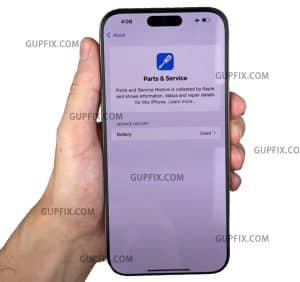
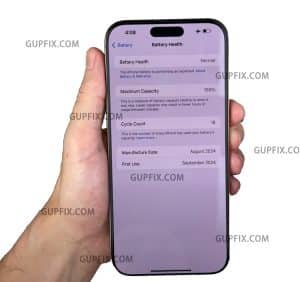
We observed the same results with a pulled oem battery replacement. The only difference is the battery health percentage which reflected the condition of the pulled battery
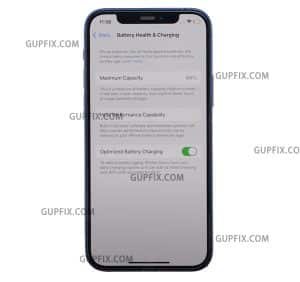
Now we’ll swap in a third-party battery.Let’t see if iOS 18.5 can handle aftermarket parts any better,we will use this iPhone 12 aftermarket battery. we’ll run the repair assistant to check the result,an “Unknown Part”message still appears. Not surprisingly, the battery health is Showing 100%
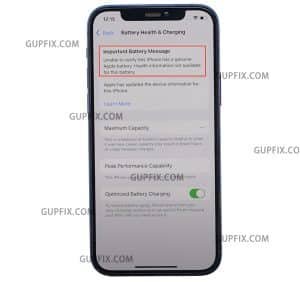
Is there any method to remove the “Unknown Part”message and recalibrate the battery health on iOS 18.5? We’ll try the old method, BMS board transfer, see if it works.
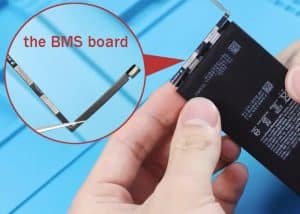
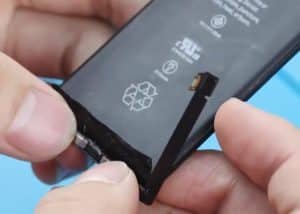
Install the native battery back and run Repair Assistant, we are using this iPhone 12 battery cell, First, cut off the BMS board from the native iPhone 12 battery,weld the BMS board to the new battery cell,install the battery to the iPhone,perform a flashing to recalibrate the battery health, No “Unknown Part”message or service history there. the battery health is recalibrated to 100%. On iOS 18.5, the BMS board swap method still works for removing the Unknown Part message and recalibrate battery health
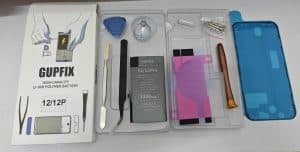
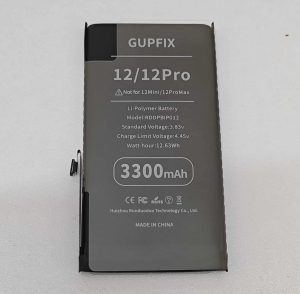
Finally let’s try GUPFIX diagnostic battery,After installation, the battery health shows 100% with an “Unknown Part” message.To resolve this, go to Settings > General > About > Parts & Service History. Tap Restart & Finish Repair to begin using the Repair Assistant. The status will update to “Used Part”—no flashing or additional steps required.
We’ve wrapped up the test conclusions here for your knowledge